


Nintendo Switch Controller Not Turning On: What to Do
A Nintendo Switch controller not turning on is usually fully drained. Attach Joy-Con to a docked console, or plug a Pro Controller into the official AC adapter or dock, and charge for at least 30 minutes. Then press any button. If it still shows no lights, press SYNC once and test again.
| Controller | How to charge | Note |
|---|---|---|
| Joy-Con | Attached to a console that is charging or docked | A standard grip does not charge |
| Joy-Con in Charging Grip | Grip plugged in with USB-C | Only the Charging Grip charges |
| Pro Controller | USB-C to the dock or adapter | Charge LED shows while charging |
| Joy-Con 2 | Attached to Switch 2 | Check Nintendo’s Switch 2 pages |
If the controller lights up but will not pair, see our Switch controller not connecting guide.
Step-by-Step Fix
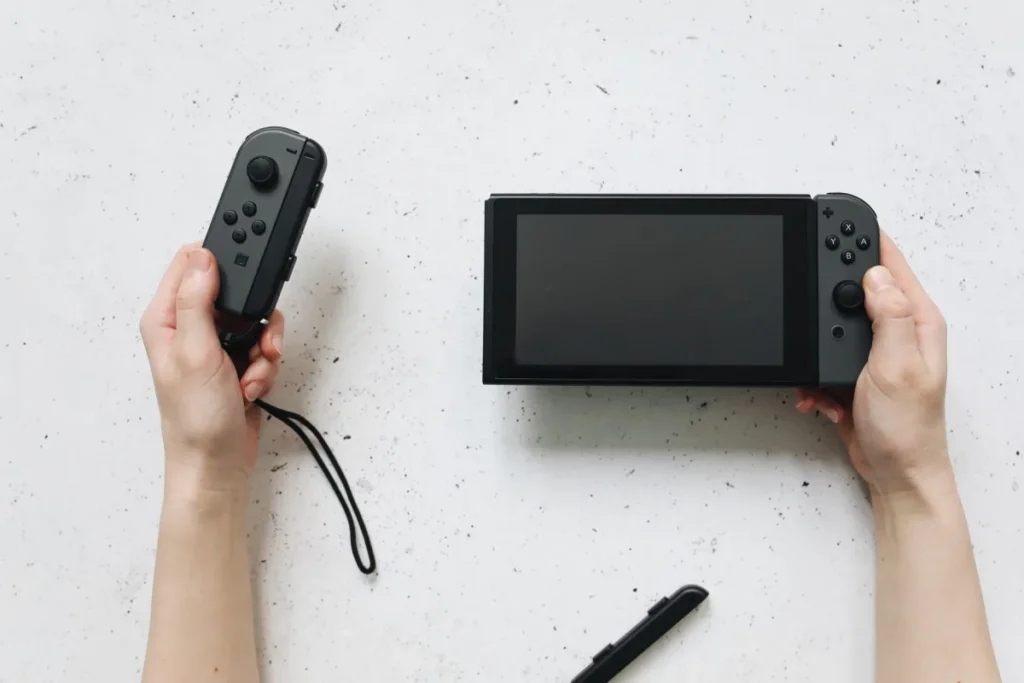
- Charge correctly. Attach Joy-Con to a docked or charging console, or plug in a Pro Controller with the official adapter.
- Wait 30 minutes. Deeply drained batteries need time before they respond.
- Press a button. Detach and press any button to wake the controller.
- Press SYNC once. This can wake a controller that seems frozen.
- Check the charger. Use the official AC adapter; weak USB ports may not charge properly.
Nintendo lists further checks on its Joy-Con power issues page and its page on Charging Grip problems.
Battery safety: stop using a controller that is swollen, very hot or smells odd. Do not open or puncture it. Contact Nintendo support for repair.
Powered on, but inputs are wrong?
Calibration, updates and drift fixes live in our controller troubleshooting guide.
Fix a Switch controller not workingCommon Mistakes
- Charging Joy-Con in a standard grip that has no power.
- Charging from a TV’s USB port.
- Storing controllers empty for months, which hurts the battery.
- Using unofficial chargers that do not meet Nintendo’s specs.
When to Repair
If a controller shows no lights after charging correctly for an hour, and does not respond to the SYNC button, it likely needs repair. Contact Nintendo support, especially under warranty. For console power problems, see our fix Nintendo Switch guide. Thinking about a different pad? Our game controller guide compares options.
Still no lights?
Tell us the controller, how you charged it and for how long. We will help you decide what to do.
Ask GamingFixFrequently Asked Questions
How long does it take to revive a dead Switch controller?
Charge it for at least 30 minutes before testing; deeply drained batteries may need longer. A full Joy-Con charge takes a few hours, and a Pro Controller longer. If nothing happens after an hour of correct charging, the controller probably needs repair.
What do I need before troubleshooting?
You need the official AC adapter, a dock or charging console for Joy-Con, and a USB-C cable for a Pro Controller. A Charging Grip helps if you have one. Make sure the console itself is charging, since attached Joy-Con charge from it.
What are common mistakes with a controller that won’t turn on?
The most common mistake is charging Joy-Con in a standard grip, which has no power. Others include using weak USB ports and testing too soon after plugging in. Long storage with an empty battery can also make a controller seem dead.
Do Joy-Con charge when the console is off?
Yes. Attached Joy-Con charge when the console is docked or connected to the AC adapter, even in sleep mode. If the console’s own battery is low and it is not plugged in, attached Joy-Con may charge slowly or not at all.
Can a Joy-Con battery be replaced?
Nintendo can repair or replace faulty Joy-Con through its repair service. Opening the controller yourself can void the warranty and risks damaging the battery. Use official repair, especially if the controller is still under warranty.